You don't have to leave your EMR.
Verto reads what your systems hold, including faxes and PDFs no standard covers, and returns findings into the tools your team already opens. A Toronto brain health clinic runs it beside Accuro and Cerner.
No account, no call.
- Overall Winner
- named overall winner of the 2025 AI Challenge run by HL7 International, the health data standards body, for Verto's entry on reading unstructured recordsHL7 International, announced 17 September 2025 at the 39th Annual Plenary
- 1M
- unique visitors served in a single month across Verto-run patient servicesCloudflare, 2021
Where Verto sits
Why do I need to leave my EMR?
Accuro, Cerner, DACIMA
Verto
the tools your team already opens
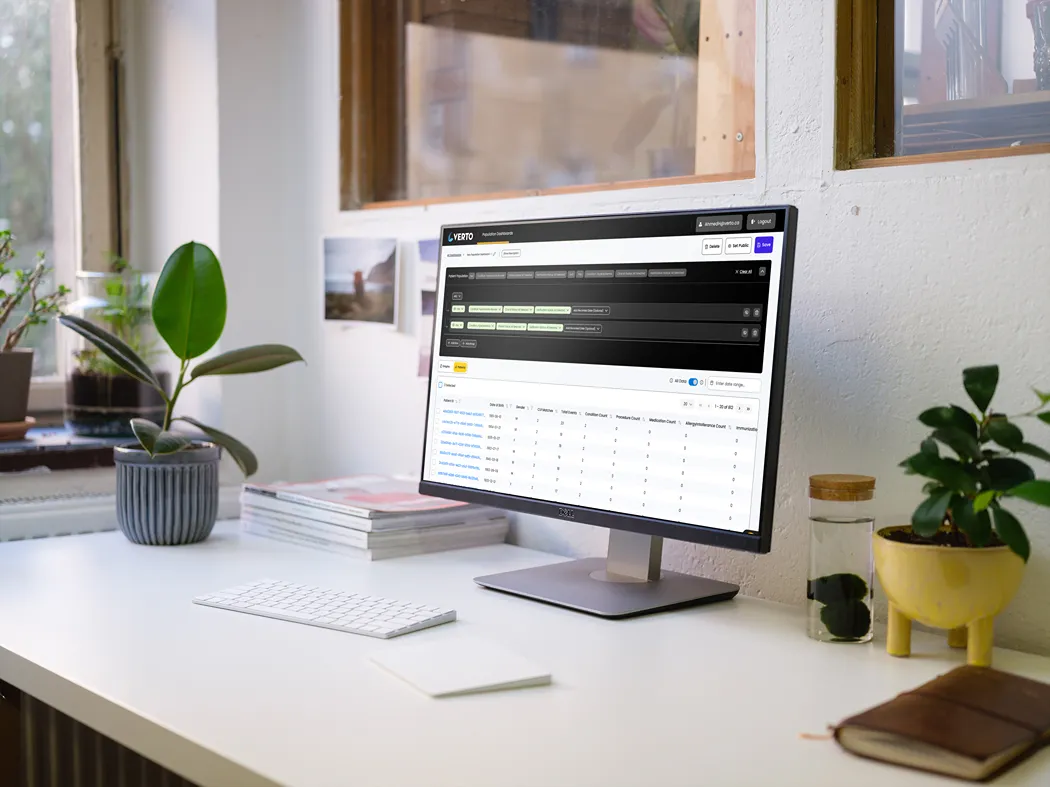
Verto reads from your existing systems and sends findings back into the tools your team uses every day.
Your electronic medical record (EMR) is where the work is done and where the chart is kept. Verto isn't a system of record, and it doesn't try to become one.
Your clinicians keep the workflow they have.
Why they chose Verto
- Fraser Health
- chose Verto because it was the only partner that could run advanced virtual care without leaving their EMR.
- A provincial health agency
- chose Verto because it was the only one that could run AI agents on top of HL7 FHIR.
The systems it already runs beside
- Accuro, then Cerner
- A Toronto brain health clinic chose Verto because it was the only platform that could queue multiple providers through their EMRs, Accuro then Cerner.
- DACIMA
- Youth Wellness Hubs Ontario chose Verto because it was the only digital front door that worked with their own EMR, DACIMA.
- HL7 FHIR
- A Canadian EMR vendor chose Verto because it was the only one that could bridge the vendor's own unstructured data to HL7 FHIR.
- Azure AD, SOC 2
- A Toronto hospital's virtual emergency department chose Verto because it was the only one with Azure AD and SOC 2 that fit their workflow.
- A custom assessment workflow
- A national medical clinic group chose Verto because it was the only one that could carry their own assessment workflow into virtual care.
What comes back out
Why do we need to log into this platform?
Most of your team never does. What Verto finds lands in the tools they already open. The population view is the exception, and it is for the team that manages population health.
Sources and standards
Is it really that hard to get this data?
Yes. Most of what a clinician records never arrives in a standard at all, and software that speaks only standards reads only the part that was already easy.
Standards it speaks
- HL7
- FHIR
- C-CDA
You connect by API or by file transfer.
Sources it reads
- Electronic medical records, usually several
- Claims files
- Health information exchange feeds
- Admission, discharge and transfer feeds
- Social and demographic data
Verto resolves the same patient, condition and document across systems that name them differently.
What arrives outside any standard
- Scanned faxes
- PDFs
- Free-text progress notes
- Discharge summaries and referral letters
Verto reads it too.
Security and custodianship
You stay the custodian of your own records.
Verto processes data on behalf of the organization that holds it. That organization stays the custodian of its own records.
SOC 2 Type II
audited, and the report goes to your security reviewer under a non-disclosure agreement
- Canada
- Canadian deployments run in Canada, under PHIPA.
- United States
- United States deployments run in the United States, under HIPAA.
What this asks of your team
You connect each source once, by API or by file transfer, and Verto reads from it.
The first pass doesn't need production access. An assessment runs on a sample of records for a defined group of patients, under an agreement covering how that data is handled.
Most teams start there, because it shows what their structured data is missing.
A production connection depends on which systems are in scope and how each one exposes data. Your integration team and ours scope that together.
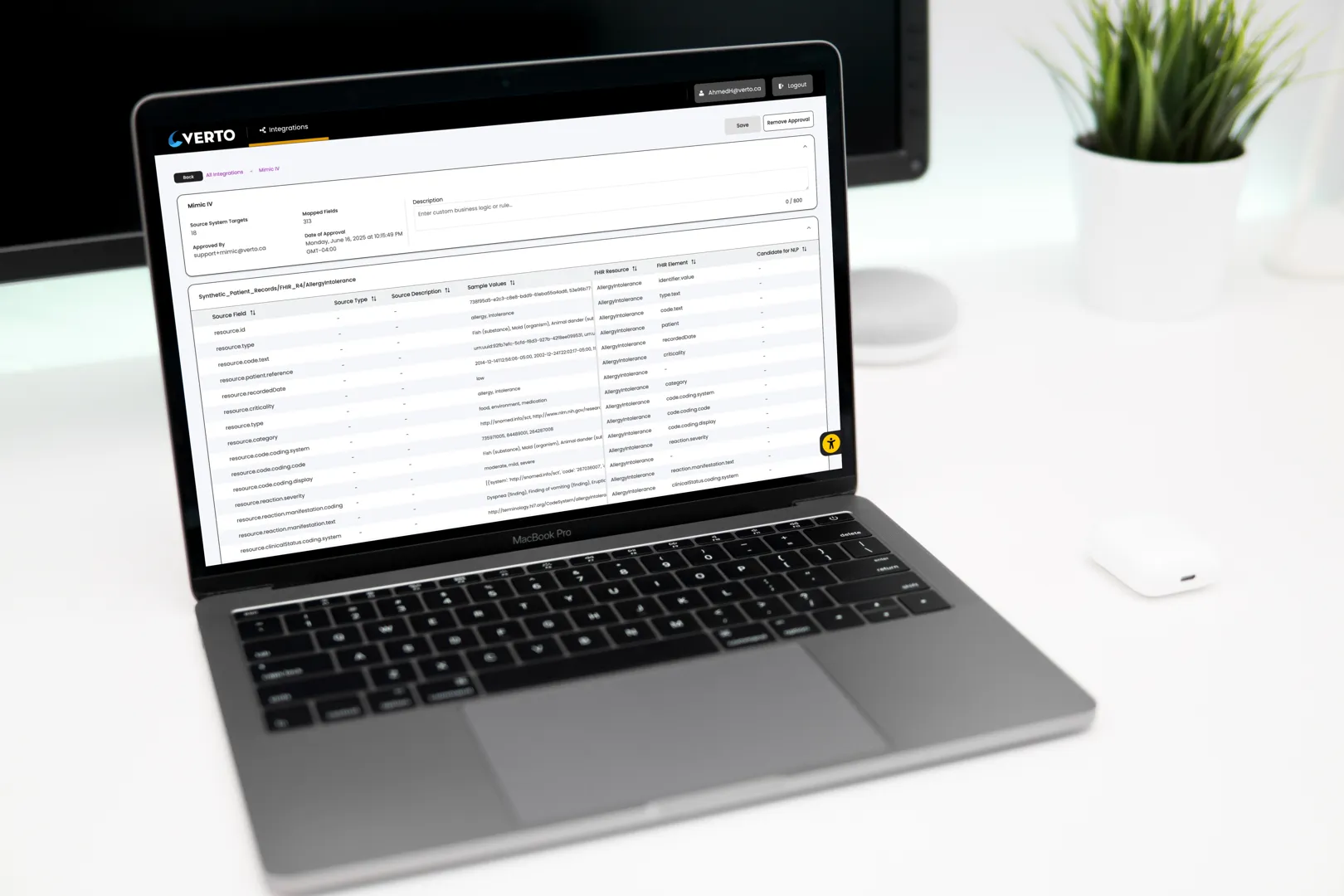
EMR integration and clinical data workflows
The questions your integration team asks first.
- 01How does Verto integrate with existing EMRs and clinical systems?
- Verto runs alongside existing systems and reads through available interfaces or file transfers. It supports HL7, FHIR and C-CDA as well as documents outside those formats. Your integration team and Verto scope the sources and permitted outputs for the deployment.
- 02Can unstructured clinical data be used alongside coded records?
- Yes. Notes, PDFs, scanned faxes and other documents can contain information absent from coded feeds. Validate representative source formats and document quality during scoping, including cases that require manual review.
- 03Does implementing Verto require replacing the EMR?
- No. The existing clinical system remains the system of record. Agree how findings and worklists return to the operating workflow, including permissions, corrections and failure handling.
- 04What should an integration pilot measure?
- Define source coverage, identity matching, evidence quality and output requirements before the pilot. Test failed connections, duplicate records and corrections as well as successful processing. Measure staff review effort alongside technical results.
Where to next
Next step
Bring your integration questions
Try the patient summary tool on a sample record first, with no account. Then bring the systems you run, and the workflow nobody else would support.
A first conversation about your patients, not a demo.